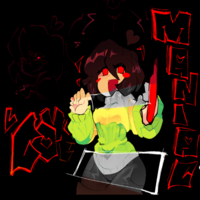
How to Play LoveManiac: Beginner's Complete Walkthrough
Step-by-step instructions to get started with LoveManiac on mobile and desktop, master bullet-hell dodging, and navigate comedic character encounters.
Step 1: Setting Up Your Preferred Platform
Before embarking on your adventure, determine whether you wish to play on a handheld touchscreen or a desktop keyboard. LoveManiac is engineered by Team Nebula for cross-platform enjoyment across two primary ecosystems:
Mobile Setup
If using a smartphone or tablet, consult our LoveManiac Android guide and review our LoveManiac APK package specs to ensure your device meets runtime requirements. Remember to verify file authenticity prior to installation.
Windows PC Setup
For PC gaming, check out our LoveManiac PC guide. Simply extract the standalone ZIP archive into a dedicated directory—no administrative installer required.
Security & Download Safety
Always acquire build files exclusively from reputable community channels. Never run unverified files from dubious download portals. For safety verification checklists and permission audits, consult our guide on how to verify LoveManiac safety.
Step 2: Understanding Basic Controls
LoveManiac adopts an intuitive, easy-to-learn control layout across all platforms:
- On Mobile (Touch): Use the dynamic virtual on-screen thumbstick on the left to move your avatar or soul. Tap conversation dialogue boxes to advance text, and tap on-screen options to choose narrative responses.
- On Desktop (Keyboard): Steer using the
Arrow KeysorWASD. Confirm interactions and advance dialogue withZ,Enter, orSpacebar. UseXto cancel or speed through text.
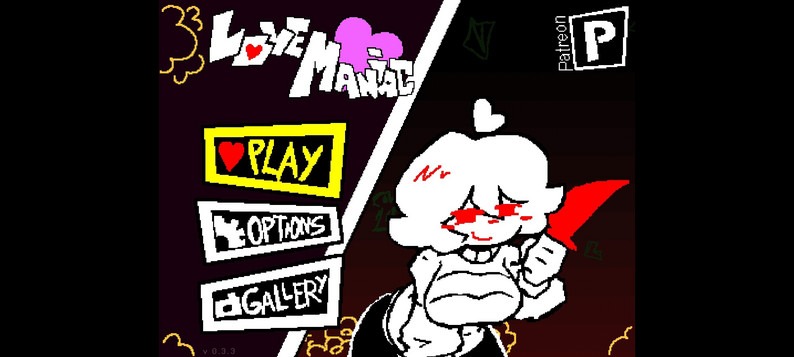
Step 3: Navigating Story Scenes & Character Dialogue
The game progresses as an interactive visual novel filled with comedic, light adult-themed parody interactions. As you converse with characters:
- Pay Attention to Dialogue Tone: Characters like Chara, Nebby, and Nelson will react dynamically to your choices. Choosing bold, teasing, or respectful dialogue flags affects subsequent scene branches.
- Second-Round Scenes: Replaying scenes or achieving higher affection scores can trigger extended second-round variations added in update 0.3.4.
- Use Cutscene Skip on Replays: If you are hunting for alternate endings, utilize the Cutscene Skip feature introduced in v0.3.4 to bypass previously viewed dialogues and reach decision points faster.
Step 4: Surviving Bullet-Hell Battles
Combat in LoveManiac will feel familiar to fans of indie action RPGs. During battle phases:
- Focus on Your Avatar's Center: The collision hitbox is concentrated at the center of your sprite. As long as incoming projectiles do not touch this central point, you will not take damage.
- Make Small, Measured Movements: Avoid erratic jerking. Tap the directional keys lightly to weave between projectile gaps.
- Utilize the Gelly Fish: If you take damage, use the Gelly Fish consumable item introduced in v0.3.5. It restores 20 HP and erects a protective barrier that negates the next incoming projectile hit completely!
- Try No Hit Mode: For players seeking an extra challenge, enable No Hit Mode to track clean evasion runs and unlock special bragging rights.
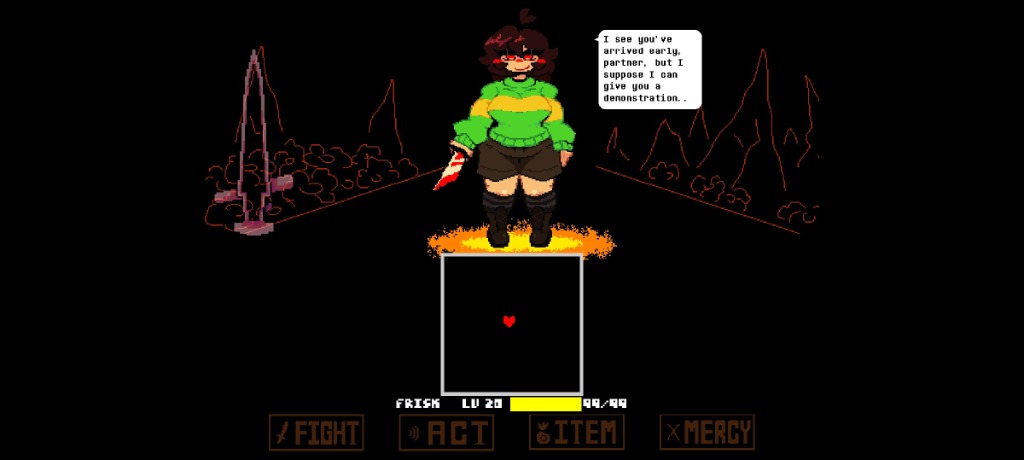
For a comprehensive technical breakdown of attack patterns and combat systems, read our dedicated LoveManiac gameplay guide.
Getting Started FAQ
What is LoveManiac?
LoveManiac is a light, adult-themed parody role-playing game developed by Team Nebula. It combines retro pixel-art visuals with modern animations and short gameplay sessions featuring humorous character interactions, dialogue choices, and bullet-hell combat sequences.
Is LoveManiac an official Undertale product or sequel?
No. LoveManiac is strictly an unofficial, fan-made parody game. It is not affiliated with, endorsed by, or connected to Toby Fox, Materia Collective, or the official Undertale franchise. It is built independently by Team Nebula using the Godot engine.
What game engine is LoveManiac developed in?
According to supplied technical information, LoveManiac is built using the open-source Godot engine. This engine facilitates lightweight 2D pixel rendering, fluid combat collisions, and cross-platform builds for Android and Windows PC.
How do you play LoveManiac?
Gameplay centers around navigating bite-sized story scenes, choosing dialogue options that influence character relationships, and participating in bullet-hell evasion sequences where you steer your soul or avatar to dodge incoming attacks.
What does the Gelly Fish item do in LoveManiac?
Introduced in version 0.3.5, the Gelly Fish is a key consumable item that restores 20 HP upon use and generates a protective shield capable of absorbing exactly one projectile hit without taking damage. It also interacts with the No Hit stat counter.
How do story routes and endings work?
Player dialogue decisions and battle performance determine relationship standings with characters like Chara and Nebby. Routes diverge based on selected options and battle results, leading to distinct comedic scene variations and alternate endings.
Who is Chara in LoveManiac and how do I beat the encounter?
Chara is a key character featured in prominent battles and story scenes. In update 0.3.4, Chara received updated sprites and attack animations. Success in battle requires learning projectile spread patterns, managing reaction timing, and utilizing defensive buffs like shields.